
MLB
MLB Advanced Media, L.P.Sports
4.433.49K Reviews
- Version
- Varies With Device
- Installs
- 10.00M
- Age Rating
- Everyone
Screenshots

Our Review of MLB
 Analysis by Appyee
If you follow baseball between games as well as during them, the MLB app makes a useful home base for scores, news and game-day updates. I’d think of it less as a replacement for watching a broadcast and more as a way to keep the league close when I’m away from a screen. It’s a free sports app from MLB Advanced Media, L.P., with optional in-app purchases, so you can start with the core experience and decide later whether paid content is worth considering.
Quick checks fit around a busy day
The app’s biggest everyday advantage is that it gives baseball information a dedicated place instead of making me search across general news and score apps. If I have a few minutes before work, I can check what happened overnight; if a game is underway while I’m occupied, I can follow its progress without treating the phone as a television. That distinction matters: a quick score check is a light task, while watching or listening for a long stretch depends much more on having time, a steady connection and a suitable setting.
For a realistic routine, imagine checking a team’s game during a commute, then returning at lunch to catch up on the result and a highlight. A score-focused visit is easier to fit into a crowded day than a full game, and the app’s mix of live coverage, news and video gives me more than one way to stay in the loop. I’d use notifications selectively, though. Team alerts can be helpful when I’m not actively checking, but turning on every possible update risks making a sports companion feel noisy rather than convenient.
Use Gameday for attention, not just scores
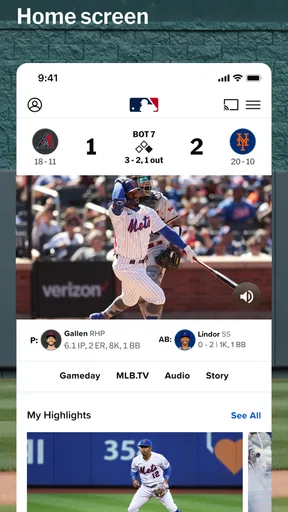
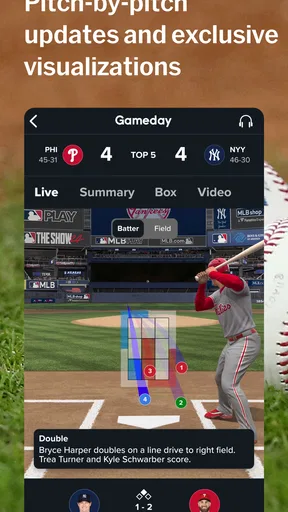
Gameday is most useful when I want the shape of a game, not merely its final score. Following pitch-by-pitch developments can help me understand why a lead changed or why a close finish became tense, even when I can’t watch. It is also a handy way to keep track of a matchup while doing something else, provided I’m comfortable reading updates rather than seeing every play. For a fan learning the rhythm of baseball, that step-by-step view can make an otherwise confusing inning easier to follow.
There is a trade-off: detailed live tracking invites frequent checking. If I only want to know whether my team won, opening a live game repeatedly is more effort than waiting for the result. I’d pick one level of attention for each situation: a quick score check when I’m busy, Gameday when I care about how the game is unfolding, and a broadcast or video when I want the full sensory experience. That simple choice keeps the app useful without letting it pull me into constant phone-checking.
News, highlights and the limits of short clips
The news and video areas serve different needs. Articles help me catch up on developments around the league, while highlights give me a quick visual taste of a notable play. That makes the app a stronger daily companion than a scoreboard alone, especially when I want context before discussing a game with friends. A highlight can show the decisive moment, but it cannot reproduce the pacing, strategy or atmosphere of a full contest; I wouldn’t use clips as a substitute if the whole game is what I’m after.
Compared with a general sports app, MLB’s clear advantage is its focus on baseball and the league itself. A broader service can be more convenient if I follow several sports and want everything in one place. On the other hand, a general score feed may not give a baseball fan the same focused route from live game details to league news and highlights. I’d choose based on what I actually follow: one place for many sports, or a more concentrated baseball experience.
When paid viewing makes sense
The app is free to download, and its age rating is Everyone. Optional in-app purchases range from $0.99 to $219.99 per item, so I’d check the purchase details carefully before committing to anything. A paid viewing option such as MLB.TV is relevant if I expect to watch games, not simply because I use the app for scores and updates. If I mostly want news, standings and occasional highlights, I’d begin with the free experience and avoid paying for viewing I may not use.
Before choosing a subscription, I’d ask myself how often I can realistically sit down for games and whether I’m mainly looking for live viewing or occasional catch-up. That is a more useful decision than buying based on the excitement of a single matchup. Anyone who wants baseball on in the background may also prefer radio-style coverage when available, while someone who needs visual detail should consider whether their connection and surroundings suit streaming. The best value depends on a genuine habit, not on the number of options in the app.
First Impressions
Right off the bat, the MLB app impresses with its sleek and user-friendly interface. It’s visually appealing, with a design that doesn’t overwhelm you with too much information at once. Navigating through the app is a breeze, and everything is neatly organized, making it easy to find what you're looking for.
Features You’ll Love
One of the standout features of the app is the live game coverage. You can follow every pitch, hit, and run as it happens, thanks to the real-time updates. There's even a nifty little feature that lets you listen to radio broadcasts of the games, which brings that authentic ballpark vibe right to your device.
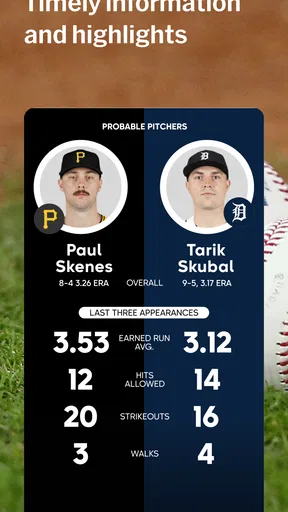
For those who love to dive deep into stats, the app offers a treasure trove of information. From player stats to team performance metrics, it has everything a stat geek could ask for. Whether you're tracking your favorite player’s batting average or keeping tabs on league standings, the app has got you covered.
Stay Connected with News and Highlights
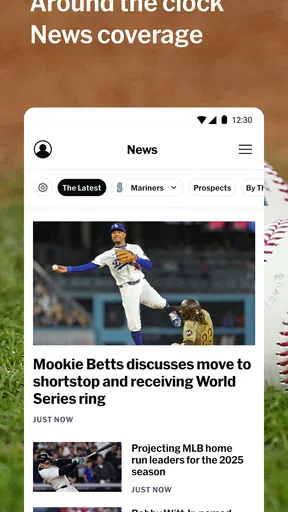
The news section is another major highlight. It keeps you informed with the latest stories, trades, and everything else happening in the baseball universe. And let's not forget the video highlights – nothing beats watching those jaw-dropping home runs and game-winning moments.
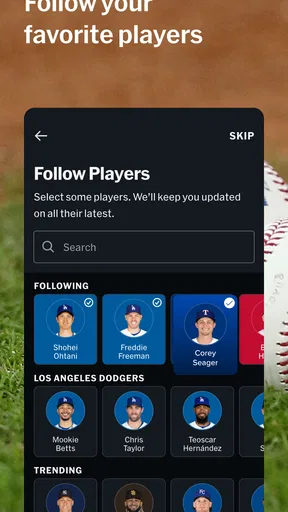
Notifications can be customized, so you never miss a beat. Whether it's news about your favorite team or scores from the latest games, you can tailor the alerts to suit your preferences.
Subscription Options
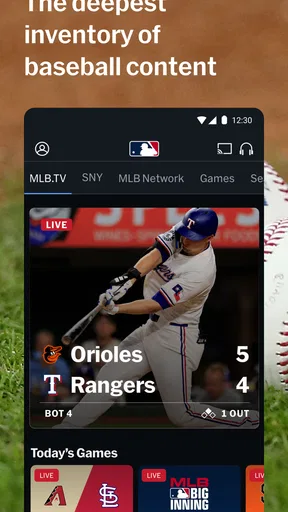
The app offers a premium subscription called MLB.TV, which allows you to watch games live. It's a game-changer for fans who want to catch every moment of the season. However, if you’re just looking to stay updated without watching full games, the free version of the app is more than sufficient.
User Experience
In terms of performance, the app runs smoothly on both Android and iOS devices. I didn’t encounter any significant lag or crashes, which is always a plus. The video quality is also top-notch, providing a crisp and clear viewing experience.
One thing to note is that accessing live games and some other premium content requires a stable internet connection. So, make sure you're connected to Wi-Fi or have a solid data plan if you're planning to stream games on the go.
Device demands and recovery
For lighter use—checking scores, reading a story or looking at a player’s numbers—I’d expect the app to be easier on a phone than a long video session. Streaming naturally asks more of your connection and battery than glancing at a score, so I’d save extended viewing for Wi-Fi or keep an eye on battery life when I’m away from an outlet. I can’t promise identical speed on every device or network; the practical point is to match the task to the conditions rather than assume a live stream will behave like a text update.
If a video pauses or a live page feels behind, I’d first check the connection and move to a less demanding part of the app while it settles. A score or written update can keep me informed without repeatedly restarting a stream. That is a useful fallback on crowded public Wi-Fi or a weak mobile signal. For someone whose main need is simply knowing the result, this flexibility is a better reason to keep the app than expecting uninterrupted video everywhere.
Who will get the most from it
I’d recommend it most to people who follow one or more MLB teams closely, enjoy checking baseball statistics, or want team-centered updates without searching several sources. It also suits a fan who watches some games but cannot plan every evening around a broadcast: scores, Gameday, news and highlights let that person choose how deeply to engage. The 4.5 average from around 255,000 ratings suggests broad appeal, and more than 10 million installs show that it has reached a large audience, though neither number tells me whether its particular mix fits an individual fan.
I would skip it if baseball is only an occasional interest and a general sports app already gives you all the scores you need. It may also be the wrong choice if you want a single service for multiple leagues or sports, or if you mainly want full-game viewing but are not prepared to consider paid options and connection demands. The app’s strongest case is its baseball focus; that same focus is less useful to someone who rarely follows the sport.
A practical way to set it up for your habits
Rather than enabling every alert at once, I’d start with the team and update types I genuinely care about, then adjust after a few days. This avoids the common annoyance of getting interrupted for news that I would have found later anyway. I’d also separate “tell me the result” from “keep me involved in the game”: use a score alert for the first need and open Gameday only when I have time to follow the action. It is a small habit change, but it makes notifications feel intentional instead of relentless.
For stats, I’d pick one question before opening the numbers—such as how a player is doing or where a team stands—rather than browsing every metric without a purpose. That makes the app more useful to casual fans and keeps detailed statistics from becoming a wall of figures. Experienced followers can explore more deeply, while newer fans can use the live sequence and team context to learn at their own pace.
Performance verdict
My overall impression is that the app works best as a flexible baseball companion, not as a promise that every part of the game can be consumed equally well in every situation. Quick checks and text-based tracking are practical when I’m busy; video and live listening make more sense when I have time and a reliable connection. Its performance felt smooth in my use, but streaming remains the part most exposed to network conditions, and heavy use is a different demand from opening the app briefly.
For a fan who wants league-specific scores, live game context, news and highlights in one place, I think it is a strong option to try before paying for anything. The free starting point keeps the decision low-risk, while the paid viewing choice is best reserved for someone who knows they will use it. If your priorities are broader sports coverage or effortless full-game viewing under unreliable conditions, another kind of service may suit you better. For the rest of us, this is a convenient way to keep up with baseball on our own terms.
Final Thoughts
All in all, the MLB app is a must-have for any baseball enthusiast. It brings the excitement of the game to your fingertips, keeping you informed and entertained. Whether you're a casual fan or a die-hard baseball aficionado, the app offers something for everyone. So, if you haven't already, give it a download and take your love for baseball to the next level.
Verdict
Strengths of MLB
- Real-time game updates keep fans engaged.
- Comprehensive player stats and analytics.
- User-friendly interface for easy navigation.
- Customizable notifications for favorite teams.
- High-quality video streaming options.
Limitations of MLB
- High data usage for video streaming.
- Some features require a subscription.
- Occasional app crashes reported by users.
- Limited offline access to content.
- Ads can be intrusive for free users.
Other Releases by MLB Advanced Media, L.P.
View All
MLB Ballpark
Sports4.1

MiLB
Sports4.5
Similar Picks in This Category
View All
BeSoccer: Soccer Live Score
BeSoccer apps4.3

Cricbuzz - Live Cricket Scores
Cricbuzz.com3.7

NFL
NFL Enterprises LLC2.4

Da Fit
MO YOUNG LIMITED3.6

ESPN
Disney4.5

LiveScore: Live Sports Scores
LiveScore Limited4.5
Frequently Asked Questions
What features does the MLB app offer for baseball fans?
The MLB app provides live game streaming, real-time game scores, and stats, as well as breaking news and highlights. Fans can also personalize their experience with team-specific updates and access exclusive content like interviews and behind-the-scenes footage. The app is designed to enhance the fan experience by offering a comprehensive view of the baseball world.
Is the MLB app free to download and use?
The MLB app is free to download, and it offers basic features such as live game scores and news updates at no cost. However, some premium features, like live game streaming and exclusive content, require a subscription. Users can choose from various subscription plans to access additional features according to their preferences.
On which devices is the MLB app available?
The MLB app is available for both Android and iOS devices. It can be downloaded from the Google Play Store for Android users and the Apple App Store for iOS users. The app is compatible with most smartphones and tablets, ensuring fans can stay connected to the game anytime, anywhere.
How can I troubleshoot streaming issues with the MLB app?
If you experience streaming issues, first ensure you have a stable internet connection. Restart the app and your device if problems persist. Clearing the app cache or reinstalling the app can also resolve issues. For further assistance, users can contact MLB's customer support for troubleshooting steps tailored to specific problems.
Can I customize notifications in the MLB app?
Yes, the MLB app allows users to customize notifications based on their preferences. Fans can choose to receive alerts for specific teams, game updates, news, or player stats. This feature helps users stay informed about what matters most to them, ensuring a personalized and engaging experience.
